
 Whatsapp
 Buy Gift Card


 Spanish | Espana
 German | Deutch

 Chinese | 中文(简体)
 Japanese | 日本語



How do travel coordinators book airport concierge for several executives?
Travel coordinators book airport concierge for several executives with a short, repeatable workflow: send each traveler's name, flight and service level to the provider, receive a consolidated confirmation, share each executive's details and track changes through one contact. Using one platform and one process reduces the back-and-forth that slows down busy coordinators.

The workflow has five steps. First, collect the information for each executive in a standard template: full name, flight number, date, terminal, contact number and any special needs. Second, decide the service level for each person, according to seniority or the importance of the trip. Third, book through the platform, choosing the airport and services for each traveler. Fourth, check the confirmations against the itinerary and send each executive a short message with the meeting point and the support number. Fifth, monitor the flights, and send updates to the provider if anything changes.
A coordinator's main risks are missing details, mismatched flights and last-minute changes. A single booking channel and a clear template reduce all three. If executives travel together, group them in the booking, and if they travel separately, create a booking for each.
airssist lets coordinators book airport concierge at airports worldwide through one platform, with one team to contact for every trip.
Think about who receives what. The executive needs the meeting point and the agent's number, the assistant needs the full confirmation and the coordinator needs a record of all bookings. Sending the right information to each person avoids confusion.
What information do I need to provide for each traveler?
Accurate information is the foundation of a smooth service. Prepare the following for each executive before you book.
- Full name: Exactly as in the passport, so the agent can identify the right person.
- Flight details: Flight number, date, departure or arrival time and terminal, if known.
- Contact number: A mobile number that works abroad, for the agent and driver to call.
- Service required: Meet and greet, fast-track, lounge, VIP terminal, chauffeur or a combination.
- Destination: The hotel or office address for the chauffeur transfer.
- Passenger numbers: The executive and any companions, assistants or security staff.
- Baggage: The number of bags and any oversized or special items.
- Special needs: Accessibility needs, dietary preferences for the lounge, privacy requirements or preferred vehicle.
- Priority contacts: The assistant's number, so updates reach the right person.
Keep this information in a shared template, so that you can reuse it for repeat trips. Check passport names against the booking, as errors cause the most confusion on the day.
For senior executives, it is worth adding preferences that make the service feel personal: a preferred greeting, a preferred vehicle or a quiet route. A provider that records these will use them again on later trips, which saves you from repeating yourself and helps executives feel looked after.
Double-check spellings and flight numbers, because a single wrong digit can lead to a missed pick-up. A quick review of every booking before travel saves difficult calls on the day.
Can bookings be changed or cancelled at short notice?
Often yes, but the terms depend on the provider and how close to the service you make the change. Check the conditions when you book, and tell the provider about changes as early as possible.
For flight changes, send the new flight number, date and time. Providers that track flights can adjust automatically to delays, but a different flight needs new details. For schedule changes, such as moving a trip to another day, ask whether the booking can be moved and whether any fee applies. For cancellations, check the deadline for a free cancellation, and what happens if you cancel after it.
Coordinators can reduce the pain of changes with three habits. First, keep the provider's support number and your booking references together. Second, send updates in writing, so that there is a record. Third, ask for confirmation of every change, and check that it matches the executive's new plan.
Executives' plans change often, so it helps to choose a provider with 24/7 support, who can respond outside office hours. For urgent changes, call instead of emailing, then follow up in writing.
If a change affects several executives, such as a delayed group flight, tell the provider once, and ask for the whole plan to be updated. A single point of contact makes this simple.
For recurring trips, keep a master list of bookings so that you can see what has been arranged for each executive and avoid duplicates.
How can I manage my team's airport services through airssist?
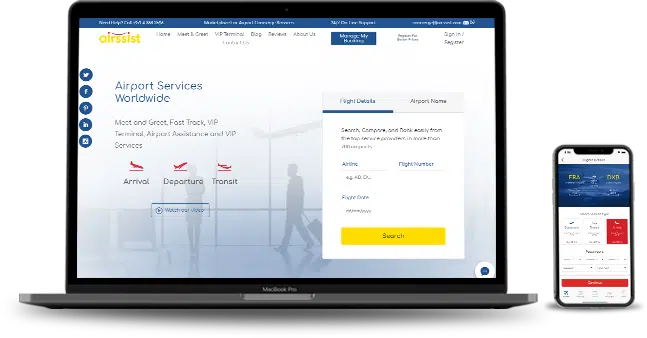
Register a corporate account on airssist to book and manage airport services for your executives through one platform. Search the airports, compare services, add each traveler's details and confirm online, with one team to call for every trip.
Ask about corporate rates, group pricing and invoicing. Our team is available 24/7 in most locations and can help with last-minute changes.
Email [email protected] or call +971 4 456 1940 to set up your account.
People also ask about "booking airport services for executives"
How do I book airport concierge for several executives?
Send each traveler's name, flight and service level, then receive a consolidated confirmation and share each person's details.
Can I book different service levels for different executives?
Yes. Many companies set tiers, for example basic assist for managers and full VIP for the executive team.
What if executives arrive on different flights?
Each flight is booked separately or planned in waves, with agents and vehicles matched to each arrival.
Who should the executives call on the day?
The agent's number or the provider's 24/7 support line shown on the confirmation.
How do I keep a record of all bookings?
Use one platform and one account, and save each confirmation in a shared file.




 2009, JBC5, Cluster W, Jumeirah Lakes Towers Dubai UAE


